
Fallen Lineage Blacksmith: Repair, Upgrade, and Salvage
Last updated:
Use the Blacksmith to browse crafting recipes, enhance equipment, and turn unwanted gear into materials. Repair it at the castle first, then choose the tab for the equipment you want to process.
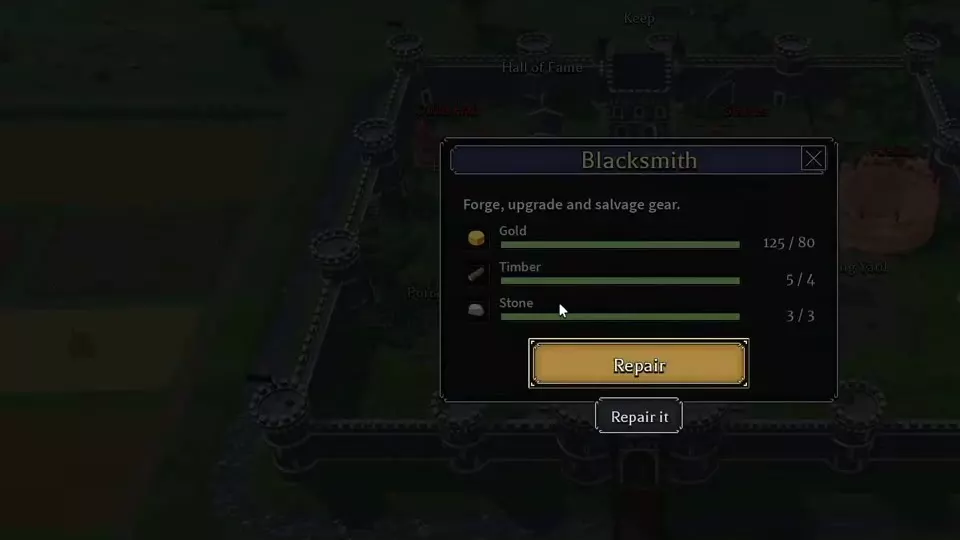
Repair the Blacksmith with 80 Gold, 4 Timber, and 3 Stone. Use Forge for known recipes, the Upgrade tab for equipment enhancements, and Salvage to process 1–8 items after checking the material preview. Auto salvage is also located at the Blacksmith.
Repair the Blacksmith
- Select Blacksmith in the castle to open its repair window.
- Prepare 80 Gold, 4 Timber, and 3 Stone.
- Click Repair to spend those resources, then enter the repaired building.
The Blacksmith starts at Tier 1 and provides three equipment-processing tabs:
| Tab | Use |
|---|---|
| Forge | Known crafting recipes |
| Upgrade | Equipment enhancements |
| Salvage | Equipment into materials |
The Upgrade button at the top of the window upgrades the building. To enhance a weapon or another piece of equipment, select the Upgrade tab beside Forge and Salvage instead.
For other building budgets and uses, see Keep facilities and repair costs.
Browse Forge
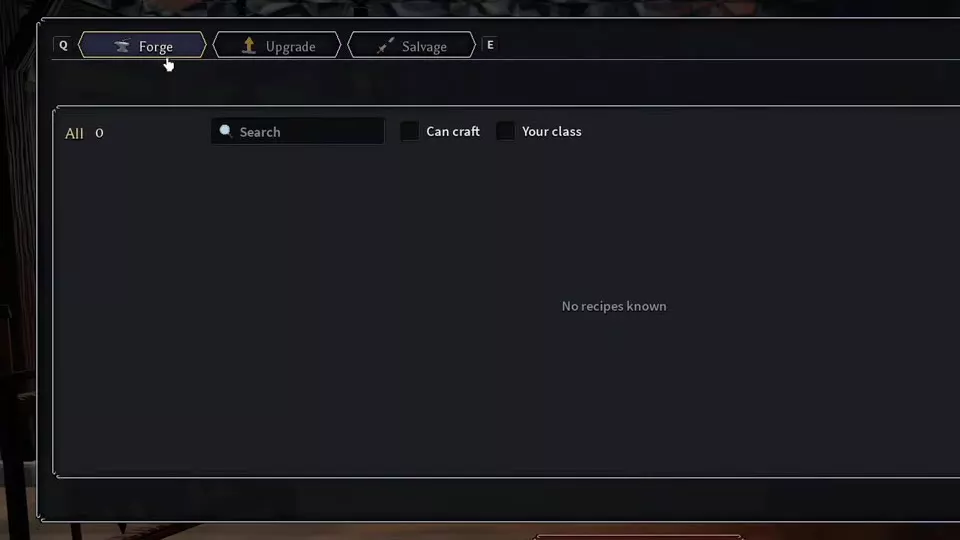
Open the repaired Blacksmith and select Forge to browse your character's known recipes.
- Search: find a recipe by name.
- Can craft: filter for recipes you have the materials to craft.
- Your class: filter for recipes for your class.
When your character has no learned recipes, the list displays All 0 and No recipes known.
Recipe material requirements increased on November 13, 2026. Use the requirements attached to the recipe you select when budgeting materials.
Upgrade Equipment
- Open the Blacksmith's Upgrade tab.
- Select the equipment you want to enhance.
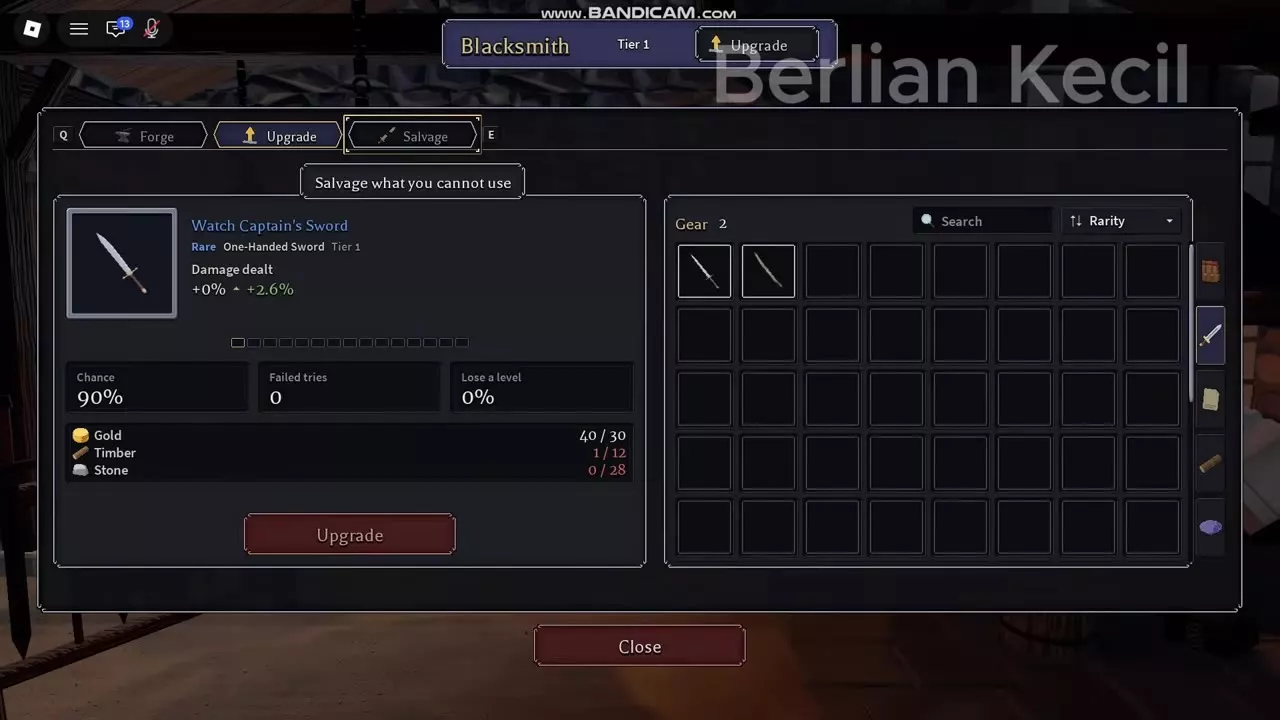
- Inspect the proposed improvement and every resource requirement.
- Check Chance, Failed tries, and Lose a level.
- Click Upgrade to attempt the enhancement once you have the required resources.
A successful enhancement increases the displayed upgrade bonus. If Not enough stone appears, obtain more Stone before attempting that upgrade again.
Watch Captain's Sword: +0 to +1
At a Tier 1 Blacksmith, a Rare Tier 1 Watch Captain's Sword has the following +0 to +1 upgrade preview:
| Attribute | Value |
|---|---|
| Gold cost | 30 Gold |
| Timber cost | 12 Timber |
| Stone cost | 28 Stone |
| Damage dealt bonus | +0% → +2.6% |
| Success chance | 90% |
| Failed tries | 0 |
| Lose a level | 0% |
The damage figure is a percentage bonus, not an additional 2.6 points of base weapon damage. The 0% level-loss chance applies to this +0 to +1 preview with Failed tries 0; the attempt still has a 90% success chance.
Budget for the selected upgrade
Since November 13, 2026, equipment upgrades require more materials, and weapon upgrades require Timber. Tier upgrades, recipes, and Blacksmith building upgrades also have increased material requirements.
Before that update, the same sword's +0 to +1 upgrade cost 30 Gold and 2 Stone. Its old +1 to +2 preview cost 35 Gold and 3 Stone, with a damage bonus changing from +2.6% to +5.2%, 90% success, 0 failed tries, and 0% level-loss chance. Those are pre-update costs; budget using the selected item's current preview.
Before investing materials, compare the weapon's requirements and effects in the weapon directory. Favor equipment you can equip and whose effects support your skills.
Salvage Items and Find Auto Salvage
Salvage at the Blacksmith
- Open the Salvage tab.
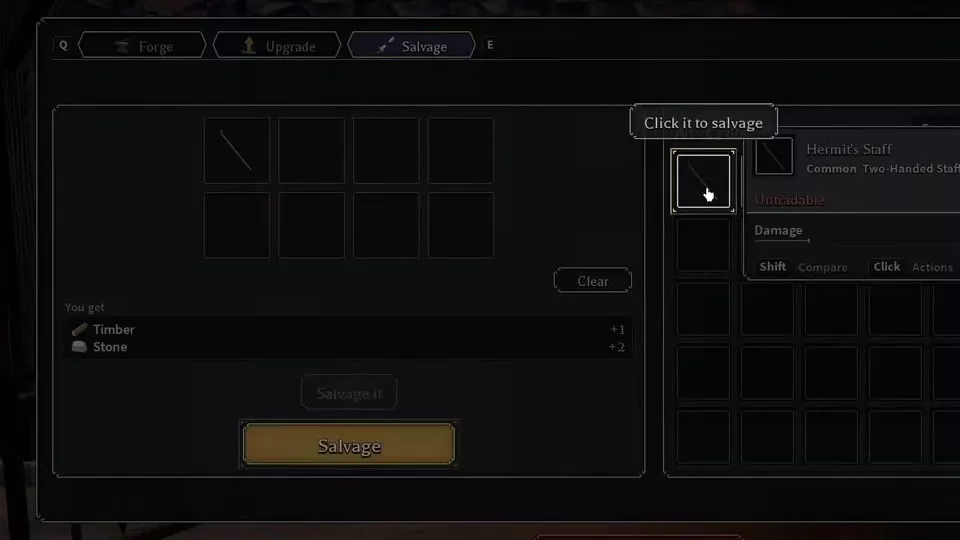
- Select 1–8 unwanted items from the inventory on the right. Selected equipment goes into the panel on the left. Use Search, Rarity sorting, and the category controls to find items.
- Read the You get material preview. Use Clear to remove the current selection and choose again.
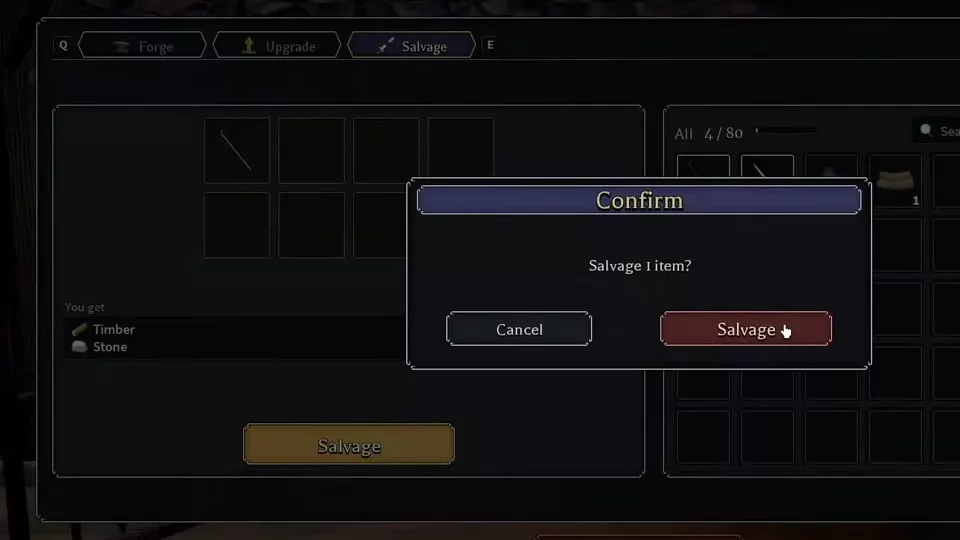
- Click Salvage to open the confirmation window.
- Check the displayed item count, then click Salvage again to finish. Choose Cancel to leave the confirmation without salvaging.
Confirmed salvage consumes the selected equipment, returns materials, and frees its inventory slots. Keep equipment you still want to use out of the selection.
For example, salvaging one Common Hermit's Staff at a Tier 1 Blacksmith returns 1 Timber and 2 Stone. For a different item or batch, use its own material preview to decide whether to proceed.
Salvage from your inventory
Open Character → Inventory, click a piece of equipment to open its actions, and choose Salvage. This is the item-card entrance for manual salvage.
Find Auto salvage
Open the Blacksmith to find Auto salvage. The Salvage action on an inventory item card is the manual item action; use the Blacksmith entrance to access Auto salvage.
Materials and Equipment
Timber and Stone serve both equipment processing and facility repairs. Adventure rewards and equipment salvage provide materials, while Gold comes from combat and adventure rewards. Keep your next repair budget in mind before spending resources on an enhancement.
- Materials, currencies, and resources: find material sources and uses.
- Weapons: compare weapon requirements, damage ranges, and effects before upgrading or salvaging.
- Armor and accessories: compare equipment slots, requirements, and bonuses before choosing what to keep.