
Fallen Lineage Base Upgrades and Keep Repair Costs
Last updated:
Repair Keep facilities to unlock equipment services, combat practice, Skill Gems, trading, Bloodline upgrades, and additional modes. Match your next repair to the service you need and prepare its materials.
Start with the Blacksmith for crafting, upgrading, and salvaging equipment. Then repair facilities for your immediate goal: Training Yard for practice, Gemcutter for Skill Gems, Trading Post for same-server exchanges, Market for cross-server buying and selling, Bloodline Hall for spending Bloodline Points, or Portal for Trials and Fallen Tower. Budget Iron separately: Trading Post needs 1 Iron and Portal needs 2.
Facilities at the Keep
The castle is your hub between runs. Its facilities turn equipment, materials, gems, and progression points into services you can use before your next adventure.
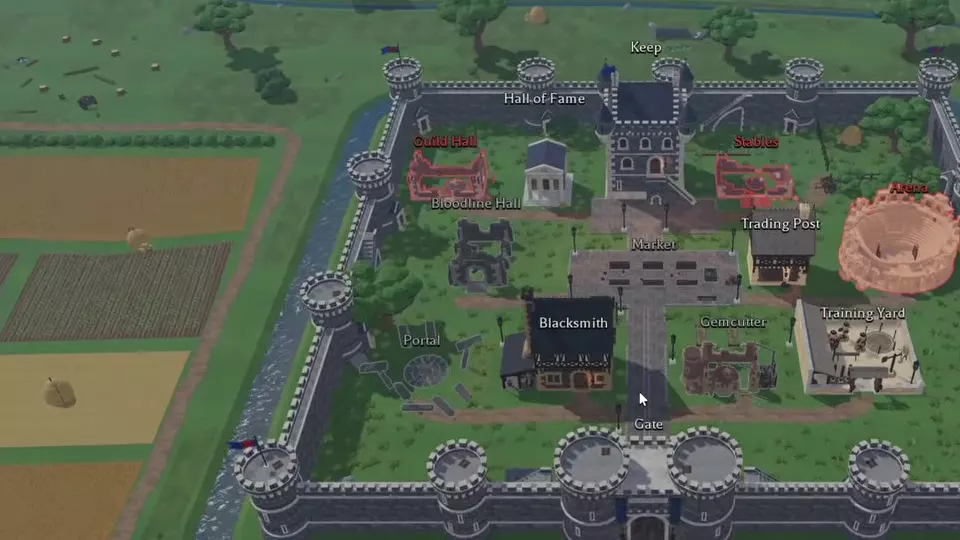
Choose a building on the castle map to open its service or repair panel. Keep opens item storage, Hall of Fame opens leaderboards, and the bottom controls provide Character, Tree, Menu, and Start Run.
Facility Directory
Compare the Gold, Timber, and Stone requirements below, then expand a facility for its full requirements and controls. Trading Post and Portal also require Iron.
These budgets cover initial repairs. Later facility upgrades have separate costs.
Keep facilities and their repair requirements.
7 objects
|
|
80 Gold Initial repair | 4 Timber Initial repair | 3 Stones Initial repair | ||||
|---|---|---|---|---|---|---|---|
|
A castle facility for crafting, upgrading, and salvaging equipment. It also contains the built-in Auto salvage entrance.
TipsRepair the Blacksmith for equipment processing, then follow the upgrade and salvage steps. |
|||||||
|
|
— | — | — | ||||
|
A Keep facility that provides practice fights against training dummies to inspect damage output.
TipsPractice against Straw to use skills without return attacks; the target has 0 Armor and 0 Ward. |
|||||||
|
|
120 Gold | 3 Timber | 4 Stones | ||||
|
A facility in Keep used to set Skill Gems into skills. Its interface includes skill selection, gem search, rarity filtering, and a compatibility control.
TipsSelect a skill before using the Fits filter. Follow the Gemcutter controls for compatibility checks. |
|||||||
|
|
120 Gold | 4 Timber | — | ||||
|
A castle facility for exchanging items and giving gifts to players in the same server.
TipsDeposit trade items in the Keep before opening an exchange. Use the Trading Post steps for offers, gifts, and confirmation. |
|||||||
|
|
150 Gold | 4 Timber | 3 Stones | ||||
|
A castle facility for buying and selling resources and equipment with players across all servers.
TipsCollect purchased items from the Keep. Compare listing configuration and order type with the Market guide. |
|||||||
|
|
150 Gold | 4 Timber | 4 Stones | ||||
|
A castle facility where Bloodline Points are spent on a connected upgrade tree.
TipsCompare HP, damage, recovery, and reward nodes in the Bloodline Hall guide before spending points. |
|||||||
|
|
200 Gold Before repair | — | 5 Stones Before repair | ||||
|
A facility in the Keep that opens the additional game-mode menu after repair. Its Tier 1 menu contains Trials and Fallen Tower.
TipsPrepare 200 Gold, 5 Stone, and 2 Iron, then use the separate Trials and Fallen Tower entrances. |
|||||||
Choose Your Next Repair
Start with Blacksmith. The tutorial directs you there to salvage equipment you cannot use, and repairing it also unlocks Forge and equipment upgrades. Salvage converts selected equipment into materials, making the facility useful for early equipment management.
After that, invest in a service you can use immediately:
- Training Yard: Choose it to practice damage and skill use outside an adventure encounter. Its initial repair costs 60 Gold, 4 Timber, and 2 Stone. The Straw target has 0 Armor, 0 Ward, and does not hit back.
- Gemcutter: Choose it when you have a Skill Gem to use with a skill. Select the target skill before using its compatibility filter.
- Trading Post: Choose it to exchange items or give gifts to someone in the same server. Prepare 120 Gold, 4 Timber, and 1 Iron, and deposit the items you want to offer in Keep Storage.
- Market: Choose it to buy and sell resources or equipment across servers. Its repair uses 150 Gold, 4 Timber, and 3 Stone. It serves a different task from a direct Trading Post exchange.
- Bloodline Hall: Choose it when you have Bloodline Points to spend. Its connected tree offers survival, damage, recovery, and reward bonuses; choose a direction that supports your current goal.
- Portal: Choose it when you are ready for additional modes. Prepare 200 Gold, 5 Stone, and 2 Iron. Trials and Fallen Tower have separate entrances. The Super-unlock trial requires Level 20 and 20 points in the required alignment.
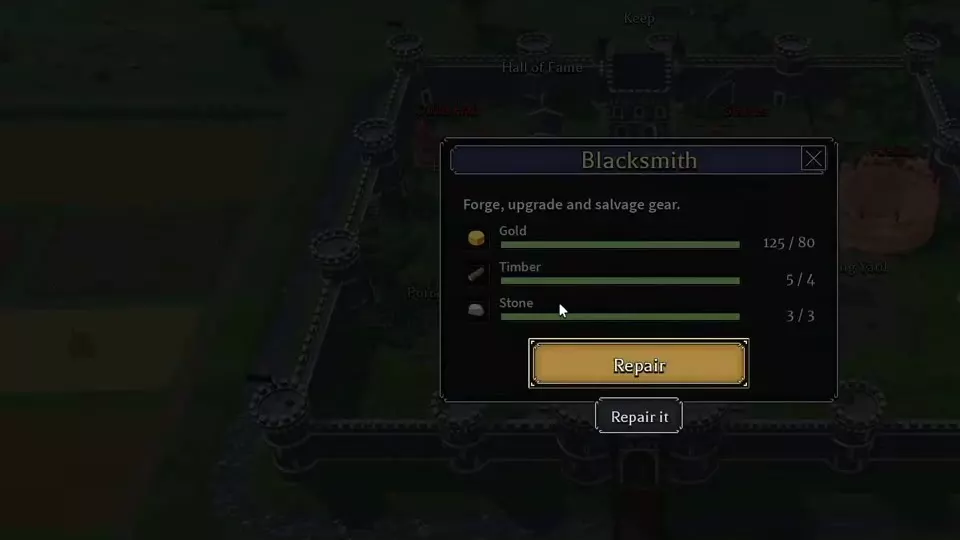
To complete a repair, select the building, meet the requirements in its repair panel, and choose Repair. Then open the repaired facility to use its service.
Keep, Blacksmith, Training Yard, and Gemcutter upgrades require more materials following the November 13, 2026 update. Treat those upgrade requirements separately from the initial repair budgets.
Storage and Hall of Fame
Keep Storage
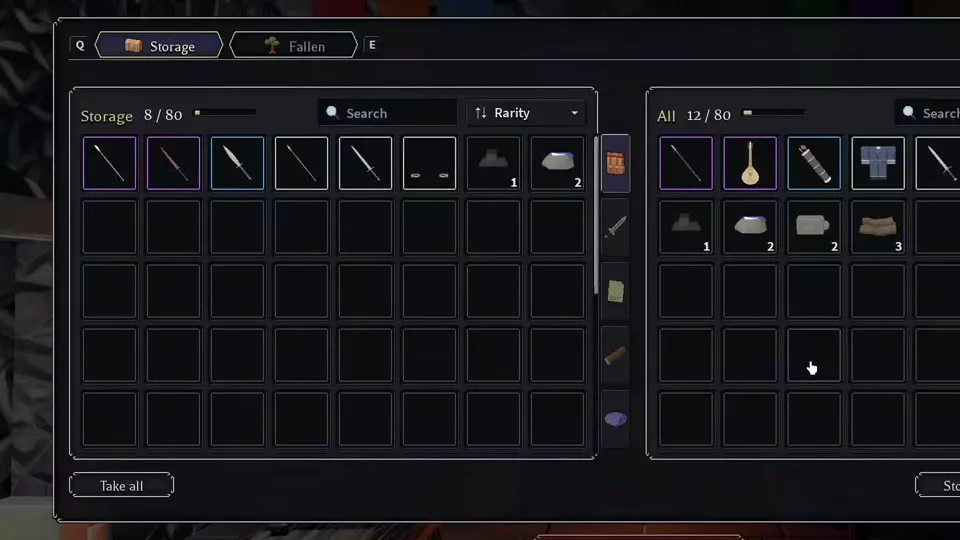
Open Keep > Storage to move items between storage on the left and your carried inventory on the right. Drag carried items into Storage to deposit them, or transfer stored items to the carried-item panel to withdraw them. Open Character > Inventory to manage your carried equipment.
Market purchases arrive in Keep Storage. Withdraw a purchase before using it from your carried inventory. Items left in Keep Storage survive a character wipe; base buildings, upgrades, Gold, and Jewels also carry over.
Hall of Fame
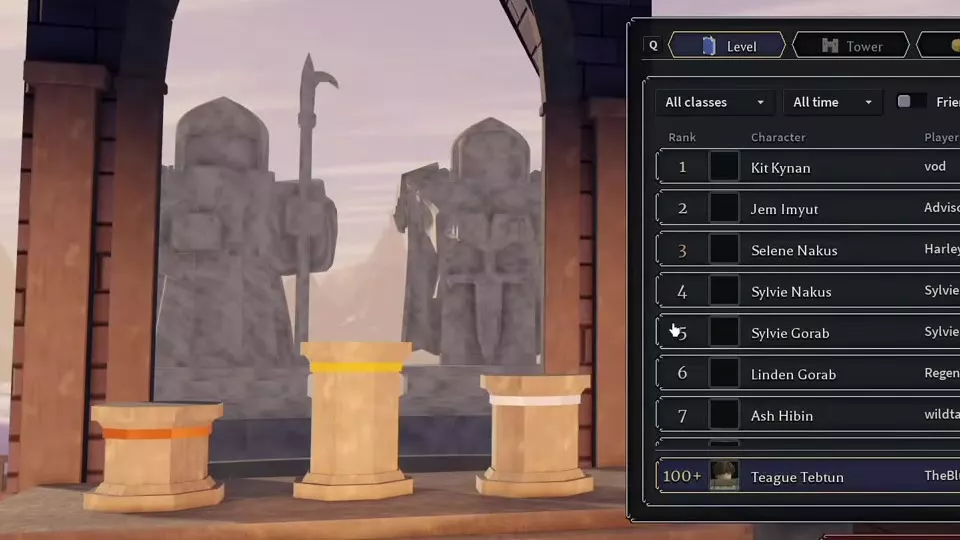
Open Hall of Fame from the castle and choose Level or Tower. Use the class filter, the time filter labeled All time, and the Friends control to narrow the comparison.
On the Level leaderboard, entries show rank, character, player, class, and level. Your own ranking is displayed alongside the leaderboard so you can locate your character's position.
Facility Operations
- Blacksmith: Forge, equipment upgrades, and salvage
- Combat controls and Training Yard practice
- Gemcutter skill selection and gem compatibility
- Trading Post exchanges and gifts
- Market purchases, orders, and price history
- Bloodline Hall nodes and upgrade choices
- Portal access to Trials and Fallen Tower
- Storage transfers and wipe retention
Articles and guides
3Fallen Lineage Storage and Wipe Retention
Move items between your inventory and Keep Storage, find Market purchases, and learn what remains after a character wipe in Fallen Lineage.
Fallen Lineage Bloodline Hall and Upgrades
Repair the Bloodline Hall in Fallen Lineage, find Bloodline Points, and compare upgrades for HP, damage, healing, Gold, materials, and XP.
Fallen Lineage Portal: Trials and Fallen Tower Access
Repair the Fallen Lineage Portal for 200 Gold, 5 Stone, and 2 Iron, then find Trials requirements and Fallen Tower tier progress.