Fallen Lineage Trading Post: Trade and Gift Items
Last updated:
Use the Trading Post to exchange stored items or give them to another player on your server.
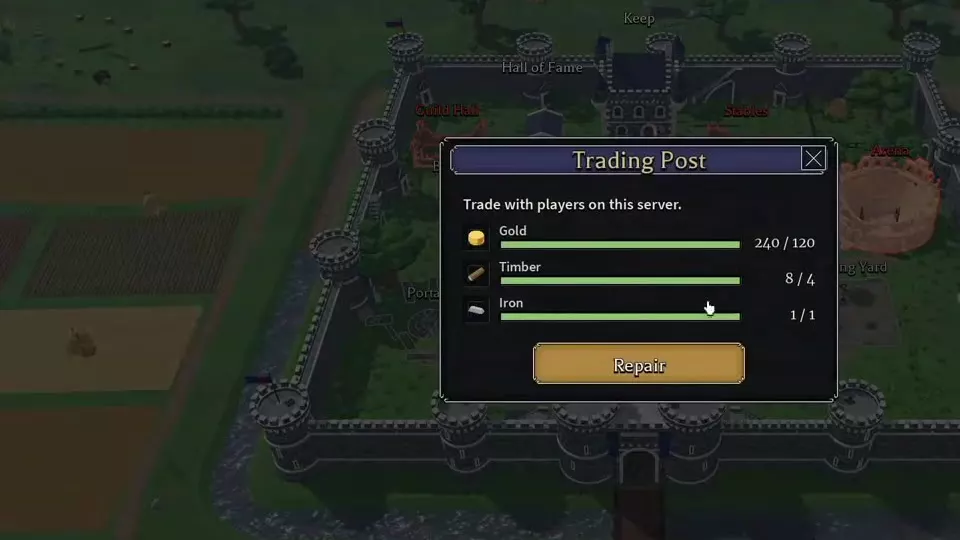
Repair the Trading Post for 120 Gold, 4 Timber, and 1 Iron, then place your items in Keep Storage. Ask another player to trade, prepare your offers, select Ready, and confirm the final summary. Traded marks the completed exchange.
Repair and Prepare Items
Select the Trading Post at the castle and repair it for 120 Gold, 4 Timber, and 1 Iron. Both players must be on the same server.
Before trading, open Keep > Storage and move the items you want to offer from your carried inventory into Storage. The Trading Post selects its offer items from Keep Storage.
Requests and Offer Controls
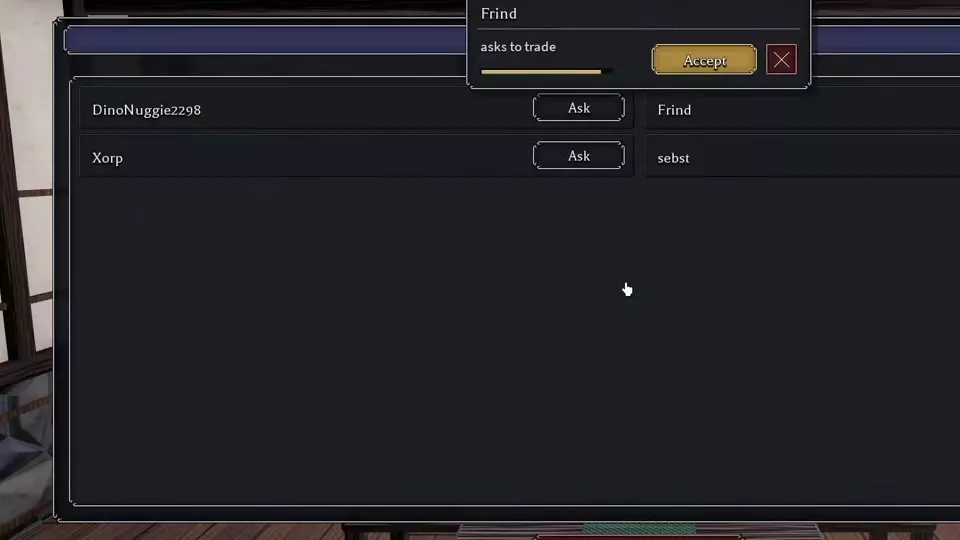
- Ask sends a request to the player beside it; Asked means the request was sent. Select Accept to respond to an incoming request.
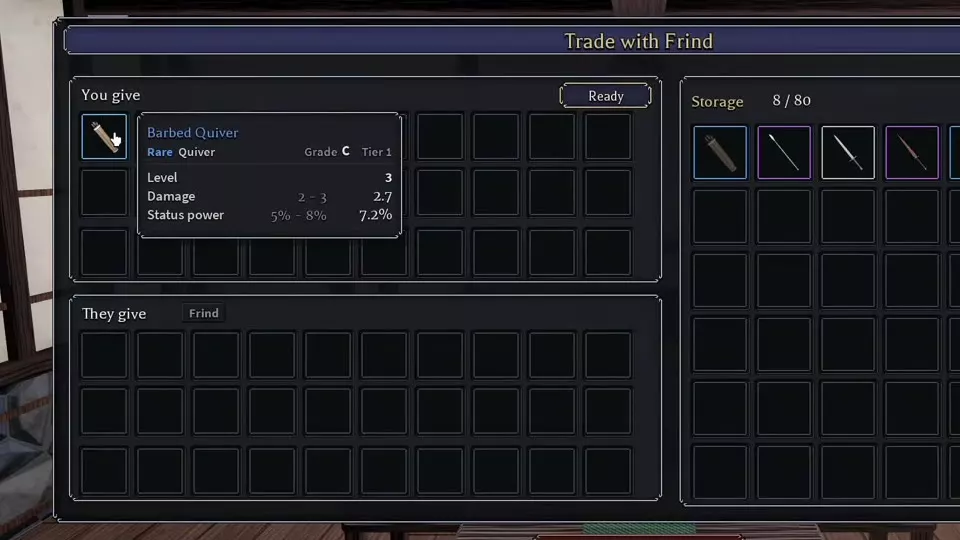
- Select an item in Storage to add it to You give. Remove an offered item if you change your mind. They give displays the other player's offer; inspect individual item attributes before agreeing.
- Ready indicates that you are ready to proceed. Once both players are ready, the final summary lists You give and You get.
- This is a gift marks a one-way gift on the final summary. Confirm submits your confirmation.
- Use Close on the offer screen or Cancel on the confirmation screen to stop the exchange. A canceled trade displays Trade cancelled.
Complete an Exchange or Gift
- Open the Trading Post, find the other player under Trade with, and select Ask. The other player selects Accept. You can also accept their incoming request.
- Add your stored items to You give and inspect the items under They give. For a gift, add the items you are giving and leave the recipient's offer empty; a gift can contain multiple items.
- Both players select Ready. Review the final You give and You get lists, including the attributes of the items you will receive. If an offer was changed, the final list tells you what you are accepting.
- For a one-way gift, select This is a gift on the summary. The recipient should check You get, even when their own You give list is empty.
- Select Confirm and wait for Traded. Confirmed marks your confirmation; Traded marks the completed exchange.
Missing Items and Waiting Messages
If an item is missing from the trade's Storage list, check that you deposited it in Keep Storage rather than leaving it in your carried inventory, then return to the Trading Post.
- That item is still being saved: Wait for saving to finish, then select the item again.
- Wait a moment during confirmation: Pause, then select Confirm again.
- Wait a moment between trades: Wait before starting the next exchange.
Storage and Cross-Server Market
Use Keep Storage to move items between storage and your carried inventory. For buying and selling across servers through listings and orders, use the separate Market.