
Fallen Lineage Bard Support Build
Last updated:
Build your Bard around party damage, recovery, and sleep control. Rousing Chord sets up your allies’ attacks, a support lute adds Regen, and Lightsworn adds protection to your healing and Regen applications.
Choose Acolyte for its Magic, Spirit, and healing bonuses. Equip Sunsong Lute to extend Inspire and add Regen, or Spiral Lute to add Regen when giving Inspire. Pair that recovery with Lightsworn for Fortify. Cast the 1-Energy Rousing Chord before allies commit heavy attacks, and use Lullaby on an enemy the party will leave untouched.
Inspire, Regen, and Protection
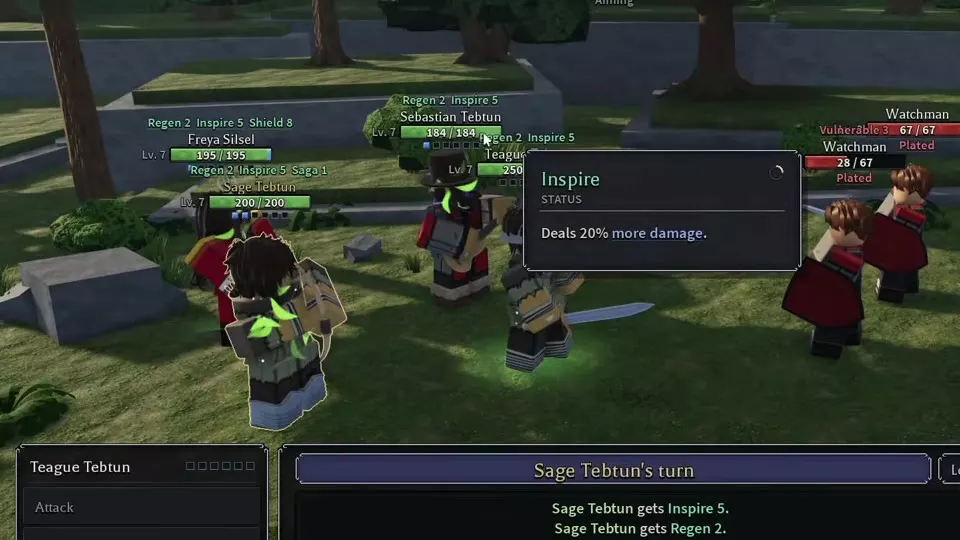
The core support chain starts with Rousing Chord, which costs 1 Energy and grants Inspire to you and all allies. Inspire increases damage dealt by 20%; the basic team buff lasts 2 turns.
Regen comes from your equipped instrument’s effect. Sunsong Lute adds Regen when you give Inspire and extends Inspire by one turn. Spiral Lute also adds Regen when giving Inspire. Rousing Chord alone does not supply that equipment-based recovery.
Regen restores 5% of maximum HP at turn start. With Lightsworn allocated, healing grants the target Fortify for one turn, and giving Regen also grants Fortify. Fortify reduces damage taken by 25%. This makes a Regen-granting lute and Lightsworn the central pairing: your damage-buff action also supports recovery and protection.
Background and Spirit Allocation
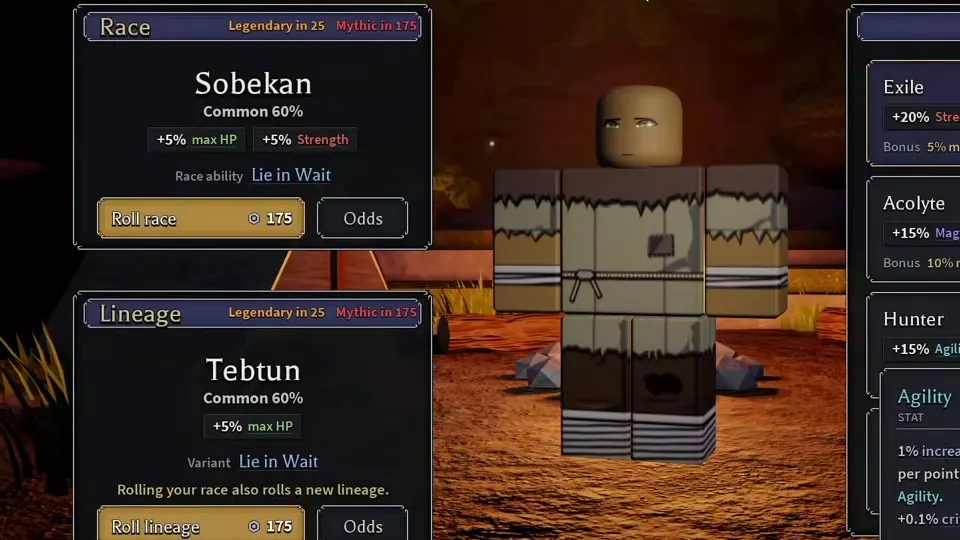
Choose Bard and select Acolyte at character creation for a healing-focused start. Acolyte grants +15% Magic, +10% Spirit, and 10% more healing.
Spirit supports this build through three benefits:
- +1% Status power per point.
- +0.25 percentage points per point toward the chance to gain 1 extra Energy each turn.
- +1% skill power per point for skills that scale with Spirit, improving their damage and healing.
Invest in Spirit for Status power and the extra-Energy chance, then match further skill-power investment to the scaling attribute shown on your equipped skills. Spirit’s skill-power bonus applies specifically to Spirit-scaled skills; use those labels to decide between Spirit and another attribute.
Choose a Lute and Support Nodes
Choose your Inspire interaction
| Lute | Inspire extension | Regen application |
|---|---|---|
| Sunsong Lute | +1 turn | 3 turns |
| Spiral Lute | — | Regen 3 |
Sunsong Lute is the stronger fit when you want both recovery and a longer damage-buff window. Its Tier 1 version requires Level 5 and Bard; its Tier 2 version requires Level 14. It is an Epic two-handed lute. Acquisition routes include battle rewards and transfers through Trading Post; reward examples include an elite battle in Hard Forest and a Gravecaller victory.
Spiral Lute provides the Inspire-to-Regen interaction for the same recovery-and-Fortify direction. Use it to add Regen 3 when applying Inspire.
Match nodes to the support job
| Node | Main benefit | Additional benefit |
|---|---|---|
| Lightsworn | Healing grants Fortify | Regen grants Fortify |
| Blessed Light | +15% healing given | +5 Ward |
| Sanctuary | +15% Shield given | 12 opening Shield |
| Shining Ward | 10 opening Shield | — |
Prioritize Lightsworn for the interaction with your Regen-granting lute. Choose Blessed Light when increasing healing is your next goal. Sanctuary suits a setup that gives Shield, while Shining Ward supplies opening protection for the Bard.
Keep Shield direction straight: Sanctuary increases Shield you give. Spellguard increases Shield you receive by 15%, alongside +12 Ward and 8 opening Shield. Choose between those effects according to whether you are strengthening outgoing protection or your own defenses.

Coordinate Buffs and Lullaby
Buff before heavy attacks
- Check the turn order and tell allies when your Bard will apply Inspire.
- On your turn, open Skills and use Rousing Chord, spending 1 Energy.
- Have allies use their stronger attacks while Inspire is active. If a damage dealer acts before the opening buff, use an ordinary Attack first and save Lunge for an inspired turn.
The important timing is the ally’s attack: the 20% damage bonus needs to be active when that action happens.
Put a separate target to sleep
- Choose an enemy that is about to act and that the party can leave out of its immediate attack plan.
- Tell teammates exactly which target to leave alone, then select it with Lullaby.
- Check that Asleep was applied and direct the party’s attacks at another enemy.
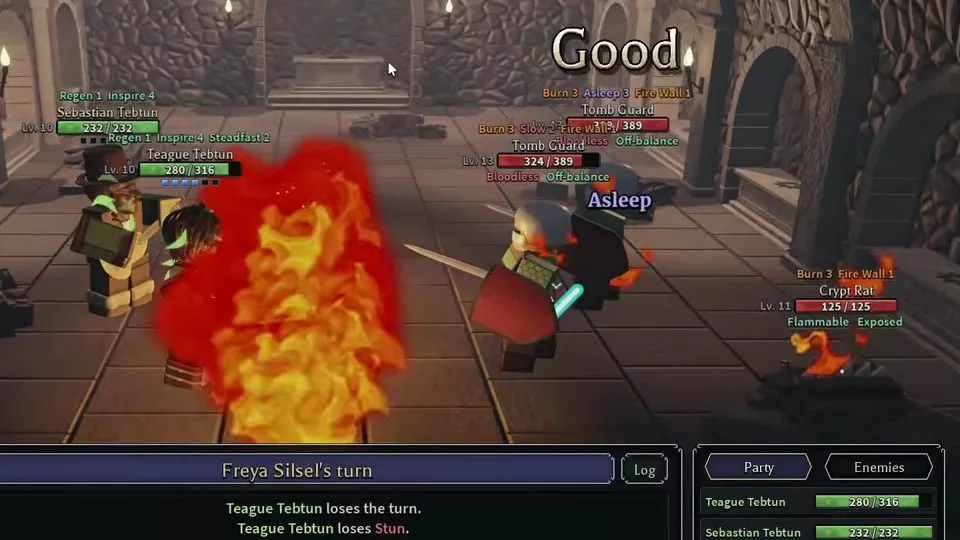
Asleep prevents the target from acting. Any damage wakes it, including Burn, so choose a target without ongoing damage when preserving sleep is the goal. Coordinate Fire Wall and other Burn applications around that choice.
When you deliberately end sleep with a hit, that hit is a guaranteed critical hit and cannot be dodged or blocked. Make that a planned damage action after the party has finished using sleep to hold the enemy.
Protect the Support Turn
- Plan around immunity and resistance. Unshakable prevents Asleep. A Perfect Lullaby skill check does not bypass status resistance; Gravecaller has resisted sleep despite a Perfect check. If sleep fails, keep the party’s attack plan active and use your support turn for buffs or recovery instead of relying on a skipped enemy action.
- Recover Energy before the critical buff turn. Focus consumes your action and restores 2 Energy. Use it when your reserves are too low to fund the next support action. Spirit adds a chance of extra Energy, so budget Rousing Chord from the Energy you actually have.
- Assign targets explicitly. Name the enemy to leave asleep and the enemy to attack. If a teammate wakes the control target early, regroup around the enemies that can now act before spending another turn trying to restore the same setup.
For the full interactions behind these decisions, see status effects and reactions.

Party and Equipment References
- Party composition and turn planning covers how the Bard’s support turn fits alongside melee, spell, and ranged damage.
- Skills and loadouts provides the skill directory and loadout controls.
- Weapons lists lutes, equipment requirements, and acquisition details.
- Passive tree and nodes covers connected allocations, Apply, and the full node directory.